











Create an iWild Account: Practical Guide with Real-World Tips
1) Why register? Unlock instantly
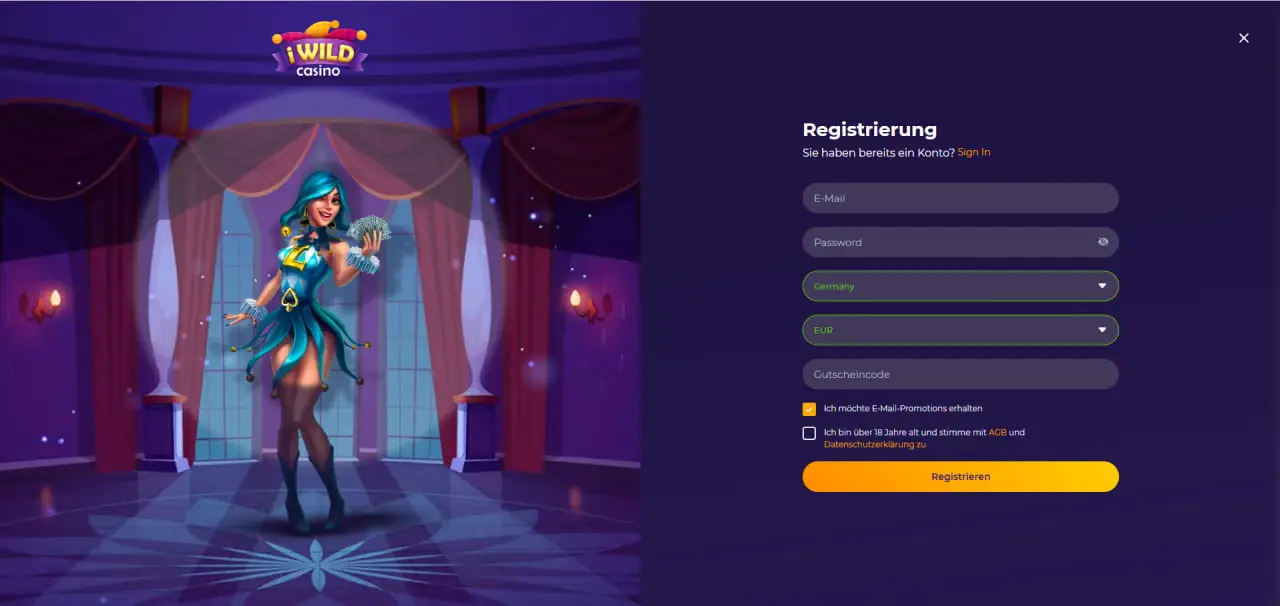
After confirming your account you move from “browsing” to “controlling”: separate real and bonus balances, cashier with regionally available methods, favorites lists, demo start and—if desired—structured welcome steps. No app needed, registration runs entirely in the browser.
- Faster support: Requests can be linked to your account immediately.
- Clear control: Limits, bonus tracker (if active) and session management in one place.
- Plannable banking: Choose currency, save preferred method, avoid friction later.
Practical note: Frequent feedback from DACH: “Register cleanly once + set limits = far less support later.”
2) Requirements & Legal
- Minimum age: You must be of legal age and permitted to play in your jurisdiction.
- Residence & IP: Register from a supported residential IP; disable VPN/proxy for signup.
- Real data: Name, date of birth, address as on your ID – speeds up KYC.
- One account per person: No duplicates; avoids delays or locks.
3) 3-minute preparation
| Have ready | Why | Quick tip |
|---|---|---|
| Reachable email | Activation & recovery | Keep webmail open in a second tab |
| Long passphrase | Account protection | 3+ words + separators + digits, store in a manager |
| Residential address | KYC matching | Spelling exactly as on your ID |
| Preferred payment method | Clean banking | Choose a method you’ll also withdraw to |
| Account currency | Less FX friction | Match currency to card/wallet (e.g., EUR→EUR) |
Pro tip: Paste the email as plain text—some keyboards insert invisible spaces.
4) Step-by-step registration (Desktop & Mobile)
Step 1 – Start
- Click Sign Up (header or start banner).
- Check language & region; adjust if needed.
Step 2 – Credentials
- Enter your email carefully (your recovery channel).
- Create a passphrase, save it in a password manager.
- Select the account currency to match your payment method.
Step 3 – Identity & address
- Enter your full legal name (with diacritics/hyphens).
- Enter date of birth & residential address (no PO boxes).
- Read and confirm the T&Cs & Privacy Policy.
Step 4 – Activation
- Open the activation email, click the secure link (check Spam/Promotions).
- Log into the dashboard—cashier & promos are unlocked.
Speed notes
- VPN/proxy off for registration & activation.
- “Stay signed in” only on private devices.
- On mobile: don’t switch apps while submitting.
Practical note: Feedback shows: Those who take their time on steps 2/3 (exact name, full address) get fewer KYC follow-ups.
5) Email activation: delivery tips & special cases
Activation links are time-sensitive—keep the mail tab open and click right away.
- No email? Check Spam/Junk/“All mail”, search for the brand name, resend after 2–3 minutes.
- Corporate mailbox: Filters may block links—better use private webmail in the browser.
- Link won’t open? Copy/paste the URL cleanly, no trailing spaces.
- Multiple emails? Always use the newest activation.
6) Currency & region: common pitfalls
- Match currency: Align account currency to card/wallet, avoid FX follow-ups.
- Travel networks: Hotel/corporate Wi-Fi can block scripts—try mobile data.
- VPN/proxy: Disable for registration/cashier; otherwise region warnings may appear.
- Moving? Enter your new address and have proof of residence ready.
7) Security: passphrase, 2FA & device hygiene
A passphrase that holds up
three-random-words–separator–two-digits (e.g., amber-track-torch-47)—memorable, strong.
- Unique: Do not reuse.
- Manager: Autofill instead of typos.
Two-factor (2FA)
- Open Security in your account → choose Authenticator app.
- Scan QR, confirm the 6-digit code, store backup codes offline.
Device hygiene
- Up-to-date OS/browser, no questionable extensions.
- “Stay signed in” only on private devices; always log out on shared hardware.
Practical note: Many report: 2FA + password manager = far less hassle when switching devices.
8) Responsible limits from day 1
| Tool | Purpose | Starting recommendation |
|---|---|---|
| Deposit limit | Caps deposits per time window | Align to your weekly leisure budget |
| Loss limit | Stops at a defined loss threshold | A value you feel comfortable with |
| Session limit | Ends/reminds after a set duration | 45–60 minutes per block |
| Cool-off | Temporary break | Use after stressful phases |
9) KYC & verification without back-and-forth
KYC protects withdrawals. Goal: one clean upload, no additional requests.
Checklist
- ID: Passport/ID card/driver’s license—front/back in color, all corners visible.
- Proof of address ≤ 3 months: Bank statement or utility bill with full name & address.
- Payment proof: Card: name + last 4 digits (rest masked); wallet: screenshot with name/account ID.
Photo tips
- Natural light, no harsh shadows, no reflections.
- Don’t cut off edges, text must be sharp and legible.
- File names without special characters (avoid upload errors).
Pro tip: If there’s a follow-up request, follow the instructions exactly (angle/distance/background)—saves days.
10) Payment setup & first deposit
Best practices
- In/out on the same rails: Choose a method you’ll also withdraw to later.
- Match currency: Align account to card/wallet currency, avoid FX friction.
- Keep receipts: Time/amount/method as a screenshot—useful for support.
Note
Some regions expect a small minimum turnover on fresh deposits even without a bonus (anti-abuse). Plan accordingly.
11) Trigger welcome offers correctly (optional)
- Read the promo tile: WR, max bet, expiry, eligible/excluded titles.
- Opt in (if required) → deposit the minimum amount in account currency.
- Free spins (if included) collect them in the named slot; watch the bonus tracker.
Practical note: Only activate when two short sessions fit your calendar—avoids expiry stress.
12) Mobile registration: best practices
- Use dedicated email/numeric keyboards, check autocorrect.
- Stay on the tab while submitting until “Success” appears.
- If a field “hangs”: disable script/cookie blockers for the domain.
13) Accessibility & supportive UX
- Logical tab order & visible focus rings on desktop.
- Accessible labels, field help & context-aware mobile keyboards.
- High contrast, sufficiently large tap targets.
- Error texts right at the field (“Format XY expected”).
14) Troubleshooting: Message → Cause → Solution
| Message | Likely cause | Direct solution |
|---|---|---|
| “Account not activated” | Activation email not confirmed | Open newest email → click link → log in |
| “Email or password incorrect” | Autofill/spaces, layout change | Type manually; if unsure, reset password |
| “Too many attempts / temporarily locked” | Rate limit | Wait 10–15 min → do one clean reset |
| “Country/region not supported” | VPN/travel IP, geolocation mismatch | Turn VPN off; use residential IP; involve support |
| “CAPTCHA failed” | Script/cookie blocker, strict firewall | Allow essential scripts/cookies; try another browser/network |
| “Withdrawal pending KYC” | Documents missing/unclear | Upload clear color photos (ID, ≤3-month address & payment proof) |
15) Copy/Paste messages for support
- Activation not received: “Hello, I just registered with [email] but didn’t receive an activation email. Please resend and confirm delivery.”
- Region restriction in error: “Hello, I’m using my residential IP in [country] without a VPN but see a region warning. Please check and advise.”
- KYC review: “Hello, I uploaded ID + address + payment proof for [email]. Please confirm whether the images are legible or if a new upload is required.”
16) Privacy & your rights
Your data is processed for account management, to fulfill legal obligations (KYC/AML), and for support. Marketing is opt-in and can be disabled at any time in the account or via the unsubscribe link. You can request access/correction and—within policy—deletion.
17) The first 24 hours – roadmap
Hour 0–1: Register, activate, set limits
- Create account, click activation link, log in.
- Define deposit/loss/session limits.
Hour 1–2: Upload KYC
- ID (F/B), proof of address ≤ 3 months, payment proof in color.
- Submit all three right away—shortens the first withdrawal.
Hour 2–24: Choose your start
- Welcome path: Read the tile; mind WR/cap/expiry; plan 2 short sessions.
- Cash-only: Define stop-loss/take-profit; set a 45–60-minute timer.
18) Registration FAQ
Do I have to accept a bonus offer?
No. You can play cash-only at any time—no WR or stake caps.
Can I change the account currency later?
Often restricted after transactions. Choose the right currency from the start.
What if my name has special characters?
Enter it exactly as on your ID (including diacritics/hyphens)—makes KYC easier.
How long does KYC take?
Depends on queue & image quality. Clean photos noticeably speed things up.
Can I register while traveling?
Often yes, but features may be limited. If possible, activate via residential IP.
Do cookies need to be enabled?
Yes—secure login & the cashier overlay require essential cookies/scripts.
19) One-page checklist
- VPN/proxy off → Sign Up → enter email + long passphrase.
- Name/date of birth/address exactly as on your ID.
- Select account currency to match your payment method.
- Click the (newest) activation email → log in.
- Read the promo tile → check WR/cap/expiry/eligible list (if planning a bonus).
- Opt in (if required) → deposit minimum or skip bonuses.
- KYC: upload ID + address ≤ 3 months + payment proof.
- Keep limits active; use a 45–60-minute timer.
20) Closing notes
A smooth start rests on three things: data as on your ID, clear limits, calm steps. Read the promo tile before each deposit, plan short sessions—and skip bonuses if you want full freedom. Early KYC uploads and matched payment rails keep your first withdrawal on track—and your sessions relaxed and predictable.